 Duecast, installments and bills
Which month is going to hurt?
Enter every installment, loan, bill and subscription once. Duecast lays them over the next twelve months, so you see the heavy month before it arrives, and the month the load drops.

Drag across the year.
This is the Flow screen. Every bar is a month, and the number is what that month will cost you. The dashed line is your income.
The heaviest month. 86% of your income goes here.
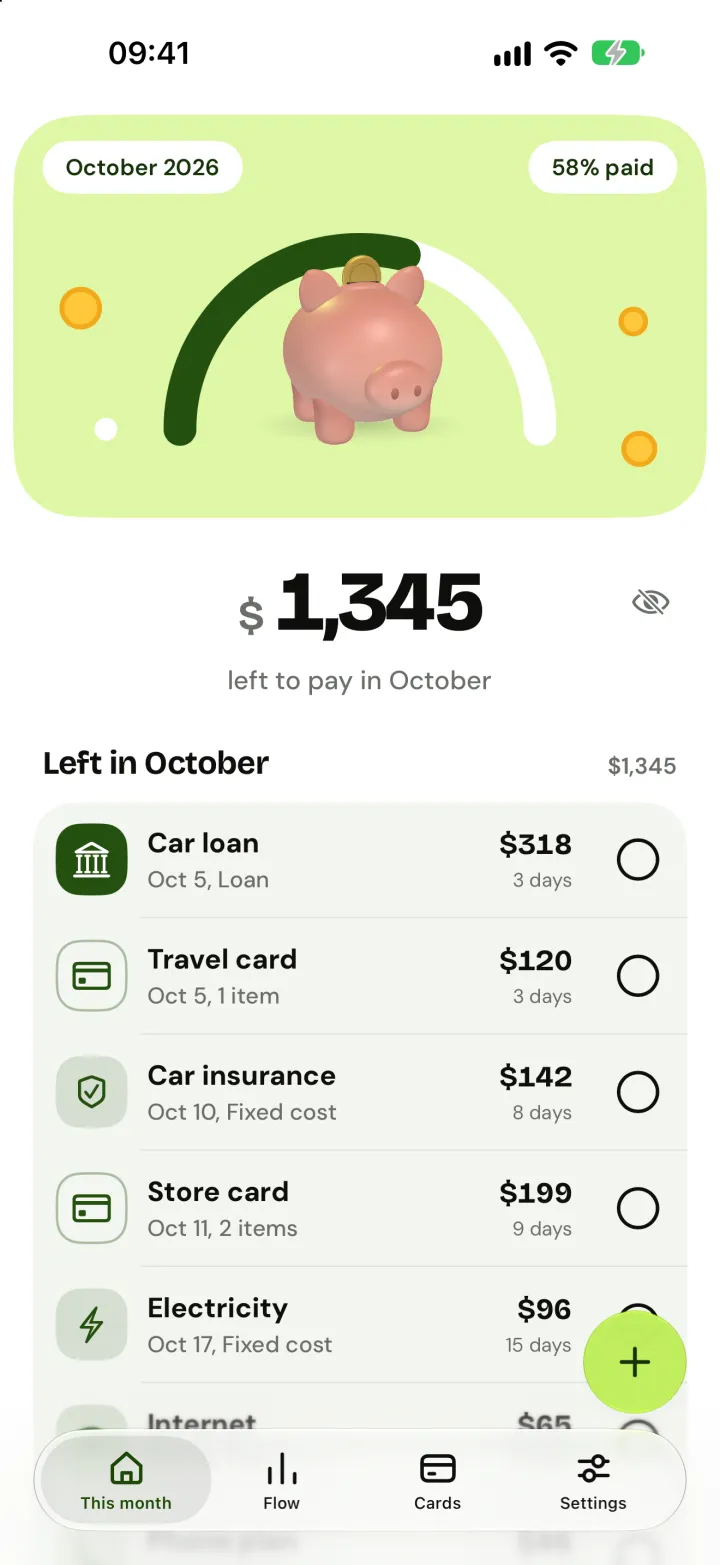
This month, at a glance
What is left to pay, overdue items on top. Tap a row to mark it paid. The app cannot know whether a payment went through; your bank’s statement is the authority.
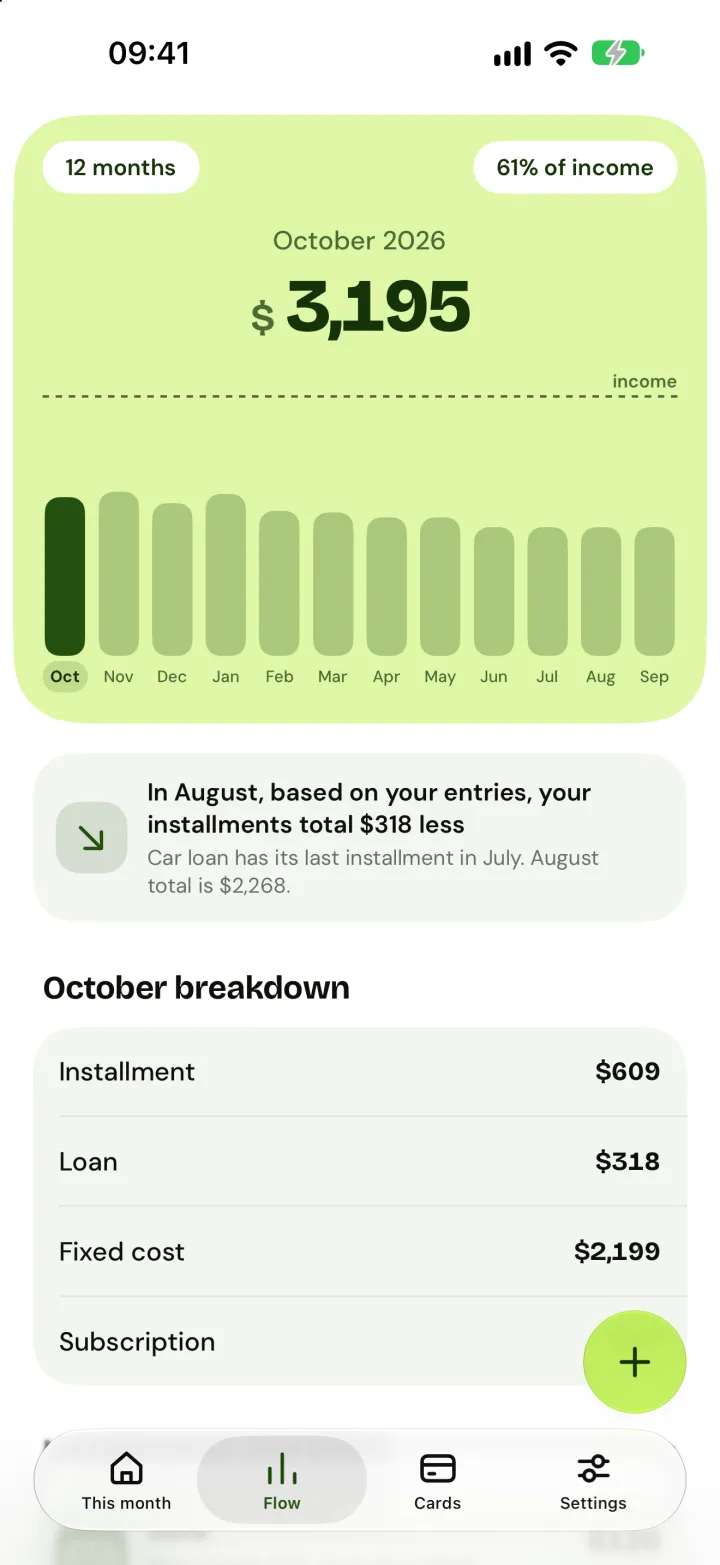
Twelve months, twelve bars
Each month split into installments, loans, fixed costs, subscriptions and yearly payments. When an installment ends, Duecast names the month that gets lighter and by how much.
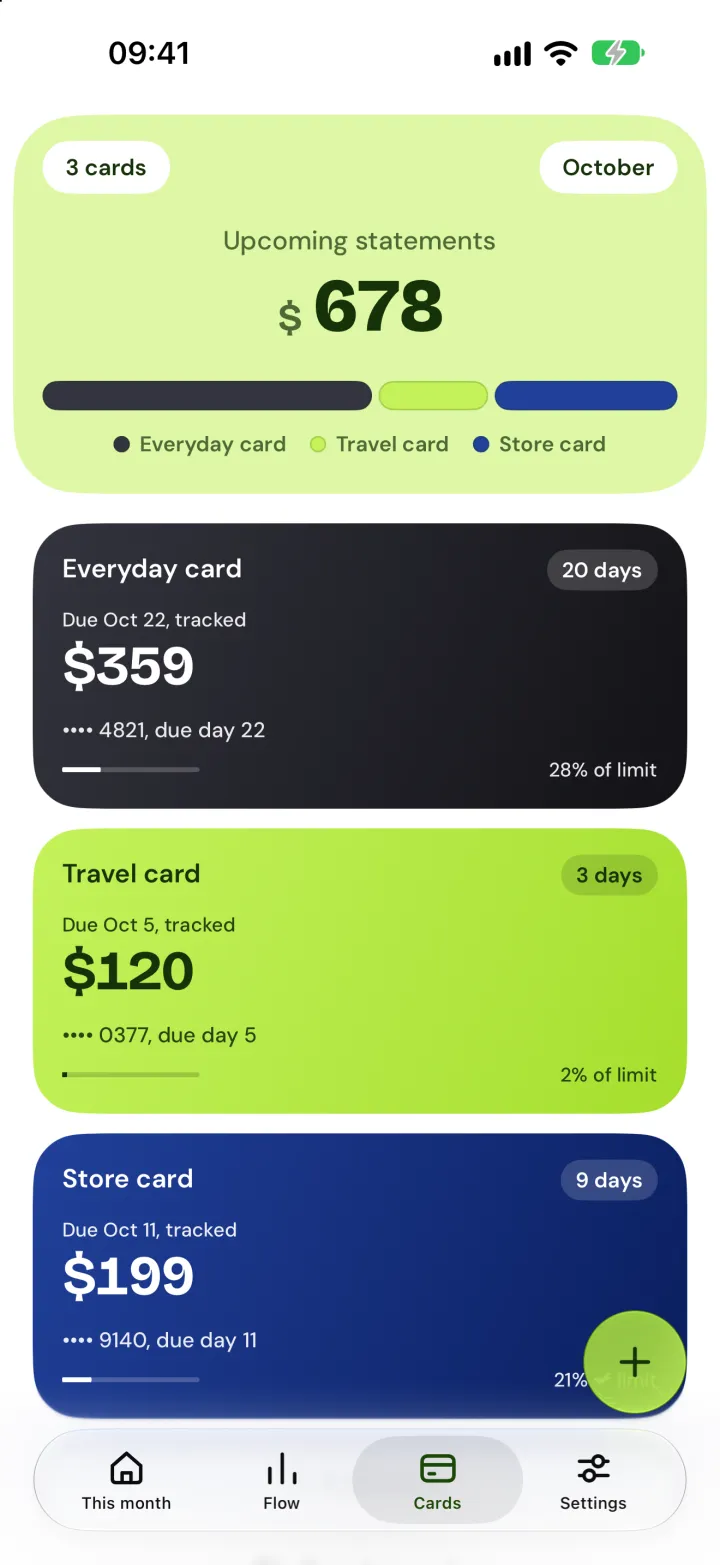
Every card, one statement
Add a card with its cut-off and due day. Installments and subscriptions on it are grouped into one statement. No card number is asked.
Reminders and widgets
A notification before each due date if you turn them on, plus Home Screen and Lock Screen widgets. Treat reminders as an aid, not a guarantee.
Your data
No server, no ads, no analytics. Back up to a file or export a CSV. With Pro, iCloud sync keeps your iPhones in step. Duecast is not a bank: it does not lend, pay or advise.
Free and Pro
Free: 1 card and 15 active entries, with every screen. Pro removes the limits and adds iCloud sync, monthly, yearly or once for life.
Our word
No bank connection, no account. Your data stays on your phone, or in your own iCloud if you turn on sync.